Working with Claude
monsterbrain and Claude Code work in both directions.
Claude steers the window
While monsterbrain runs, Claude can see what you have open and show you what it talks about (Claude controls the app thr... (DEC_CLAUDE_MCP)):
open a file and highlight the passage it refers to,
switch to the change view after its work and open a diff,
read which file and which text you have selected – “explain this” works without copying anything,
open another folder, e.g. a code repository.
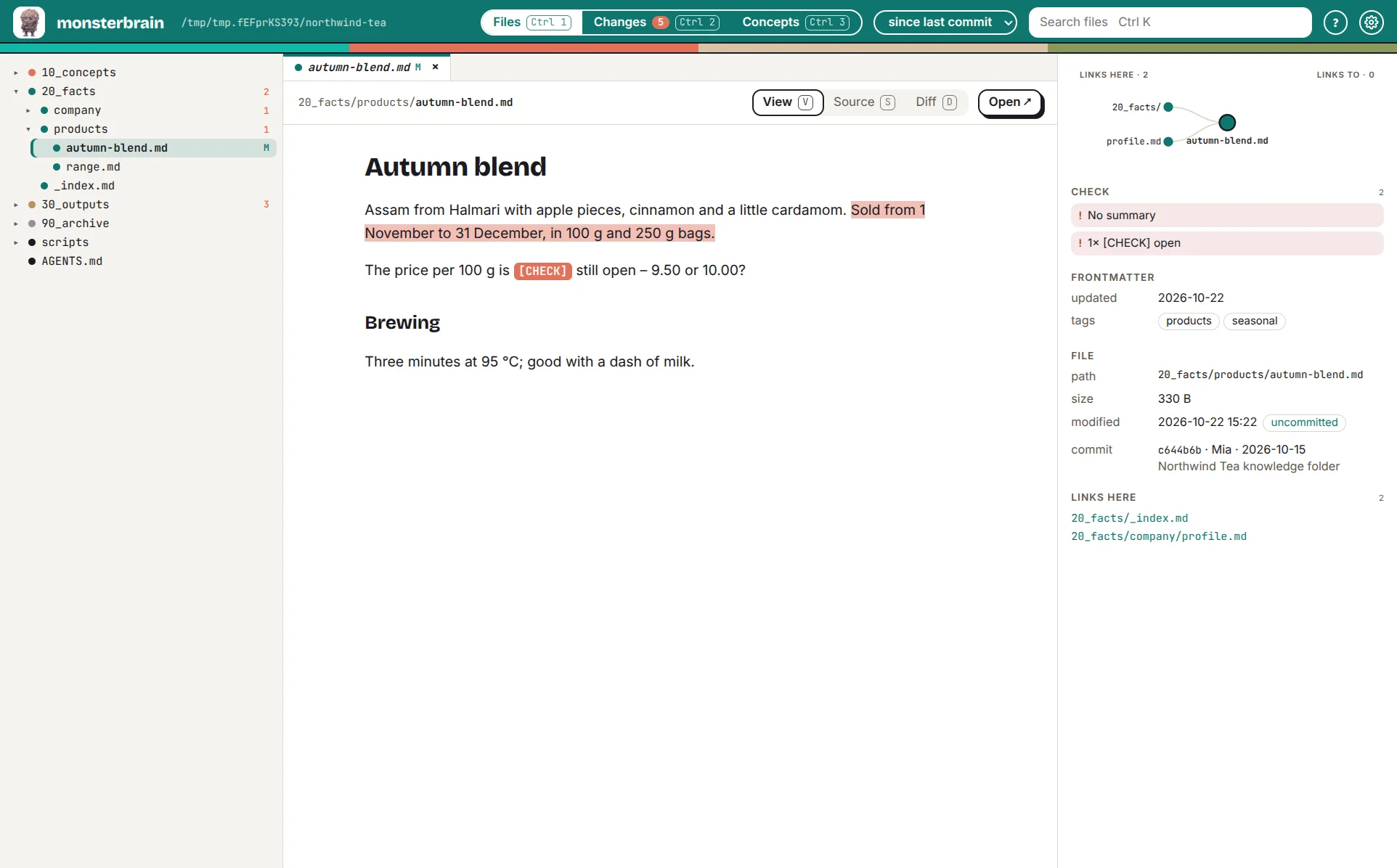
Claude opened the file and highlighted the sentence it is talking about.
Extensions add their own tools – deciwa, for example, lets Claude read your feedback and show its state.
The window hands work to Claude
Ctrl Shift A sends “explain this file”, with the selected text, into a
running Claude Code session. More actions follow – for example “review
finished, work through the feedback”.
Setup for both: Claude Code.